Know what's
next.
CrowdPulse sits beside Serato or rekordbox, follows what's playing, and lines up the five songs from your own crates that fit right now, by key, tempo and energy. Dirty version requested? It cleans it on the spot.
Mac and Windows. Serato DJ Pro and rekordbox. Cancel anytime.
Demo with made-up songs, running in your browser. The real overlay floats on top of your DJ software, even in full screen.
One Saturday with CrowdPulse.
Prep in ten minutes, not two hours
Trend Scout researches what's filling floors this month in your scene (record-pool charts, DJ blogs, the crowd you're playing for) and checks every song against your library. Missing three? Get it shows every version across your record pools and opens the right page.
Doors open, overlay up
The overlay floats over Serato or rekordbox, even in full screen. Pick your crates. It follows whatever's on air and keeps five ready, so you're not digging while the floor waits.
The request you only have dirty
Clean & Load listens to the song, finds every curse word in English or Spanish, reverses or mutes it, and drops the clean edit on Deck 2. Your original file is never touched.
Peak time
Switch to Lift and the next five climb in energy without leaving a compatible key. Switch to Drop when it's time to breathe.
Last call
Your whole set is logged automatically. Mix Memory remembers which transitions worked in which room, so next week's picks are smarter.
New music, already organized
Drop in fresh downloads. CrowdPulse fills in what the tags are missing (BPM, key, energy and genre) and files every song into the crate it belongs in.
The clean version you don't have, made in the moment.
Every DJ has watched a request die because the only copy was explicit. CrowdPulse writes out the lyrics with exact timing, marks the words that can't go out on a school night, and renders a clean copy: radio-style reverse, smooth mute, bleep, or a vocal dip that keeps the kick and bass driving.
English and Spanish, accents and all. It works on reggaeton and Latin trap, not just Top 40.
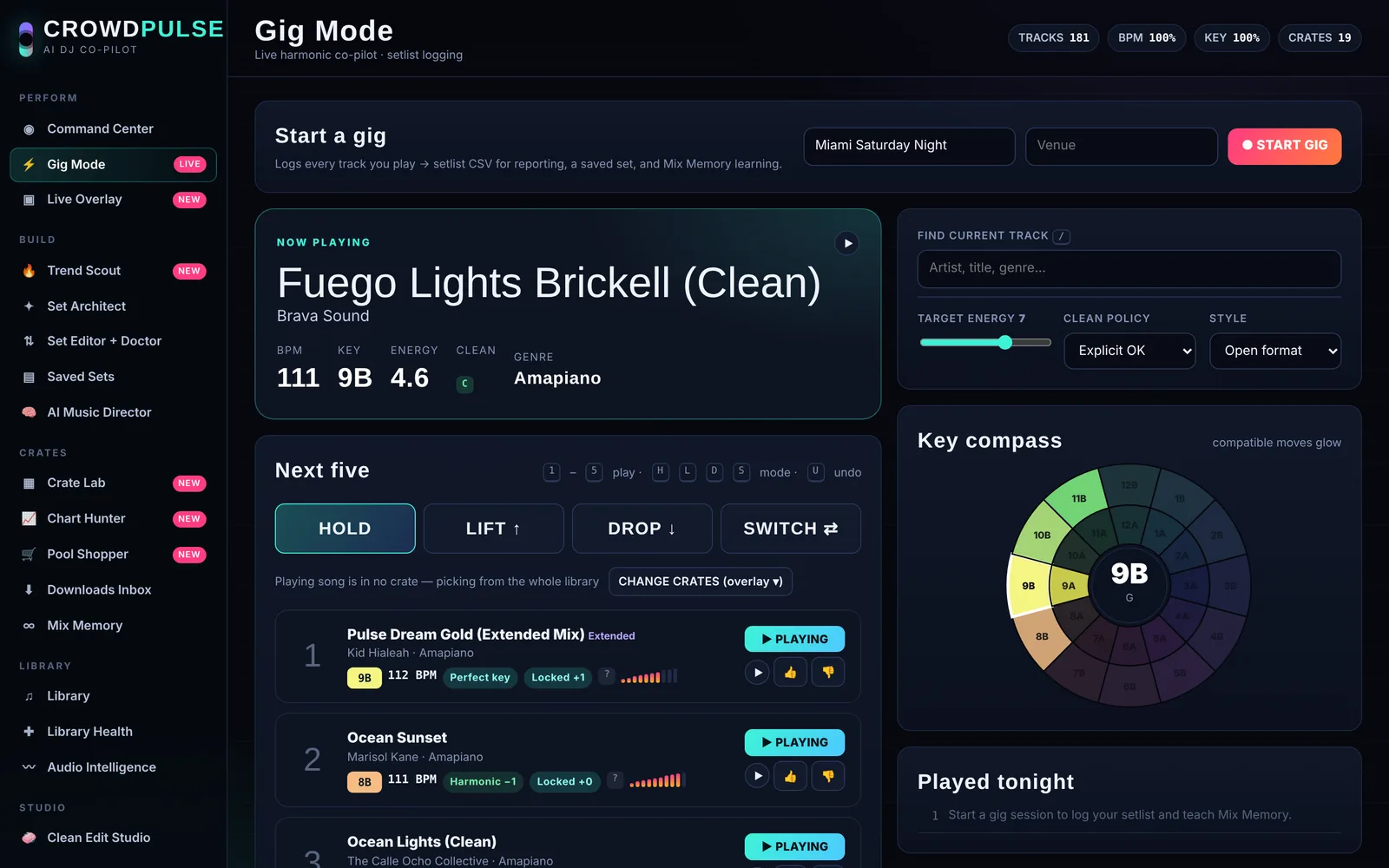
This is the real thing.
Not a mockup. Gig Mode with a library loaded: the next five, why each one fits, and the key compass lighting up the safe moves.
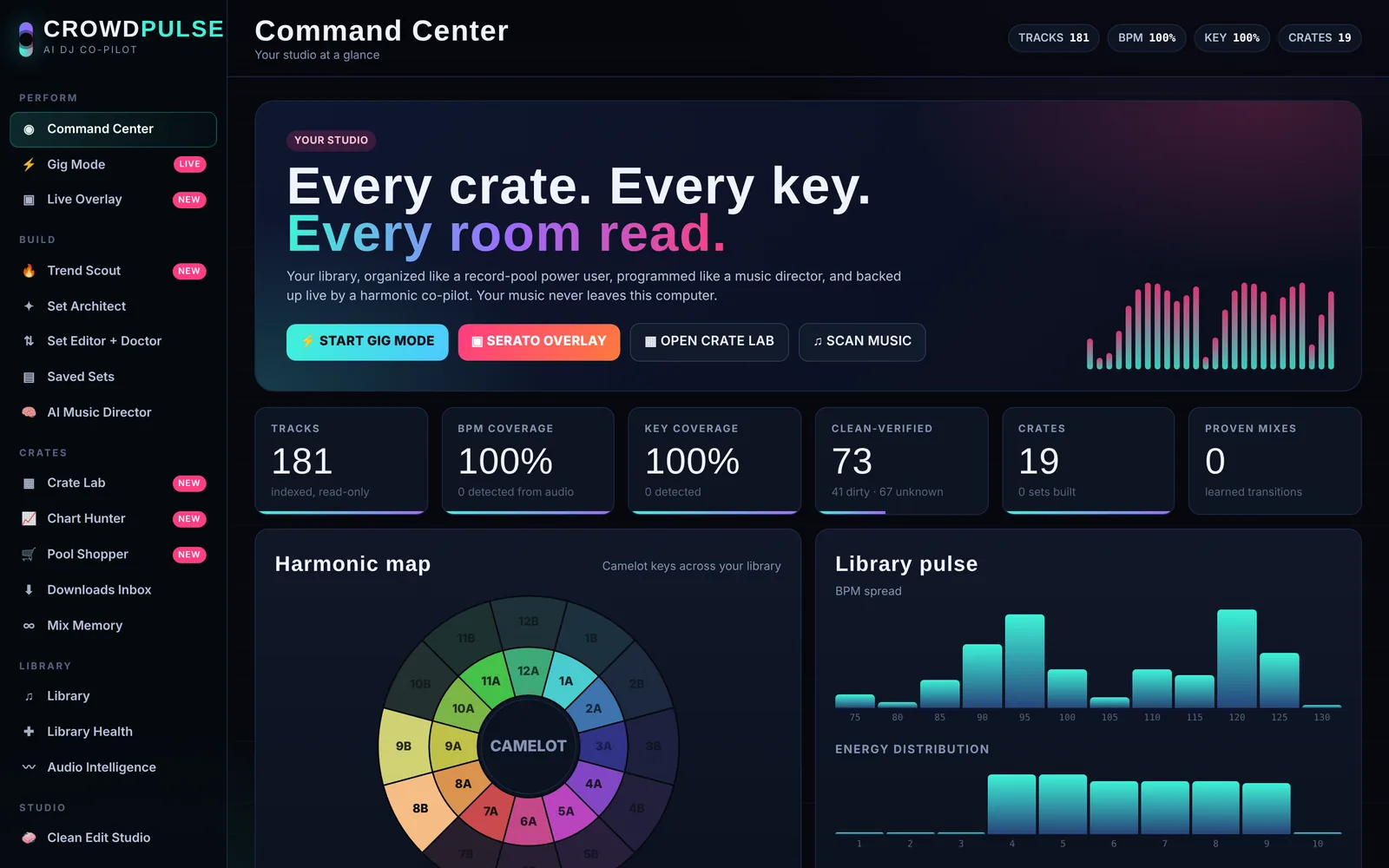
Everything inside.
During the gig
- Live overlay
- Floats over Serato or rekordbox, even full screen. Next five, load to deck, Clean & Load.
- Gig Mode
- Follows what's on air, suggests by key, tempo and energy, logs your setlist.
- Hold, Lift, Drop
- Steer the energy without breaking key.
Before the gig
- Trend Scout
- Live research of what's working this month in your scene, checked against your library.
- Get it
- Every version of a missing song across your record pools, one click away.
- Set Architect
- Builds a set for the room: energy arc, harmonic flow, clean or explicit.
- Set Doctor
- Grades every transition and swaps in a better song where the mix is weak.
- AI Music Director
- Programs a full set for a specific event from your library.
Your crates
- Crate Lab
- Auto-crates by genre, BPM and energy. Smart crates that update themselves. Installs straight into Serato.
- Chart Hunter
- Paste a chart or a client's must-play list and see what you have and what you're missing.
- Pool Shopper
- Watches your downloads, checks the version, files it, drops it in the right crate.
- Mix Memory
- Learns which transitions worked, and which songs hit at which venue.
Your library
- Audio Intelligence
- Fills in missing BPM, key (Camelot), energy and genre from the audio itself.
- Library Health
- Missing tags, duplicates, dead files and clean-version coverage.
- Clean Edit Studio
- Review every flagged word and render broadcast-ready clean copies.
- Voice Booth
- Custom MC drops and intros in studio-quality AI voices.
| DJ software | Serato DJ Pro, rekordbox 6 and 7 |
|---|---|
| Mac | macOS 10.15 Catalina or newer, Intel and Apple Silicon |
| Windows | Windows 10 and 11, 64-bit |
| Your files | Read only. CrowdPulse never edits your music, crates or cue points. |
Built in the booth, not in a boardroom.
“I built CrowdPulse because I needed it. When you're playing a stadium, a wedding and a club in the same week, you don't have time to dig. You need the right song ready before the crowd asks for it.”
DJ CPMiami
- Music Director, Miami Marlins
- In-game DJ, Miami Dolphins and Miami Hurricanes
- Booth DJ, F1 Miami Grand Prix and the World Baseball Classic
Try it for 14 days. Free.
Every feature, on two computers. You won't be charged until your trial ends, and you can cancel before then in two clicks.
- Every feature, every update
- Works on 2 computers, movable anytime
- Works offline at the gig
- Secure checkout by Stripe
AI features use your own Claude or OpenAI and ElevenLabs accounts, billed pay-as-you-go by those services. The welcome tour sets them up in a few minutes. Everything else works without them.
Checkout opens soon. CrowdPulse is in private beta. Ask to join the beta.
Download CrowdPulse.
Free to download. The first time you open it, enter the license key from your free trial, or the beta key DJ CP sent you.
Mac
macOS 10.15 Catalina or newer. Intel and Apple Silicon in one app. Signed and notarized by Apple.
Download for MacOpen the zip, double-click CrowdPulse, then click Move to Applications when it asks.
Windows
Windows 10 or 11, 64-bit.
Download for WindowsExtract the zip somewhere permanent, like Documents, then double-click CrowdPulse.exe.
Questions DJs ask.
Does it work with my DJ software?
Yes, with Serato DJ Pro and rekordbox 6 and 7. CrowdPulse follows what's playing from your DJ software's history and loads songs with its own keyboard shortcuts, so nothing inside Serato or rekordbox is changed. It never sends Escape or anything that could stop a deck.
Will it mess with my library, crates or cue points?
No. CrowdPulse only reads your music and tags. Clean edits are saved as new files next to your library, and crates are only written when you press Install to Serato.
Do I need internet at the gig?
No. CrowdPulse works offline for 14 days at a time. The live features run entirely on your computer. Trend Scout and Clean & Load need a connection because they use online services.
What do the AI features cost?
They use your own accounts: Claude or OpenAI for Trend Scout, the AI Music Director and genre lookup, and ElevenLabs for Clean & Load and Voice Booth. You pay those services directly, pay-as-you-go, and the welcome tour walks you through getting each key. Picks, crates, sets and everything in the booth work without them.
Is my music uploaded anywhere?
No. Your library stays on your computer. AI features send song titles and tags only. Clean & Load sends just the one song you're cleaning to ElevenLabs so it can read the lyrics.
How many computers can I use?
Two, like your main laptop and a backup. Moving to a new computer takes one click in Settings.
How do I cancel?
Anytime, from Manage subscription. If you cancel during the trial you're never charged. After that, CrowdPulse keeps working until the end of the period you paid for.
What computer do I need?
A Mac with macOS 10.15 Catalina or newer (Intel or Apple Silicon), or a Windows 10 or 11 PC (64-bit). The Mac app is signed and notarized by Apple.